
Walrus is an airdrop project officially confirmed by Sui Network. It is currently in the test network and does not require any interaction costs. The project has great potential, with an estimated income of 2600U/number. It is recommended to have multiple numbers.
1. Project Introduction
According to the official statement: @WalrusProtocol is a decentralized storage network that stores and transmits raw data and media files (such as videos, pictures, and PDFs) without affecting performance or accessibility. With Walrus, users' data is always safe and available.
II. Current Stage
According to the official account of Sui Network, the Walrus testnet has been launched and it has been confirmed that there will be a Walrus token ($WAL) airdrop.
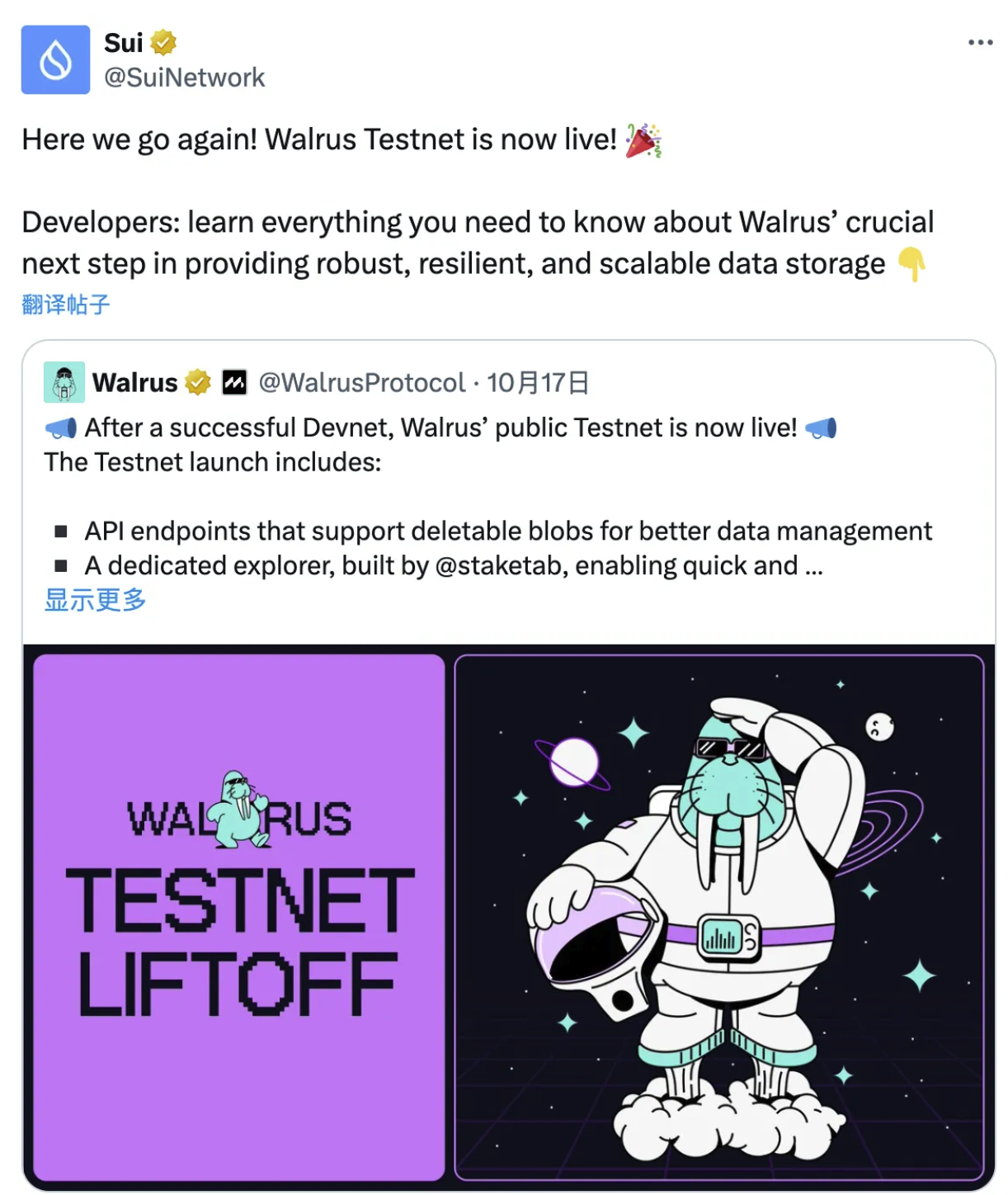
Walrus’ official account now has only 8,000 followers, so it is definitely an early-stage project.
3. Airdrop Tutorial
Step 1: Install SUI wallet
(1) SUI wallet related links: https://chromewebstore.google.com/detail/sui-wallet/opcgpfmipidbgpenhmajoajpbobppdil
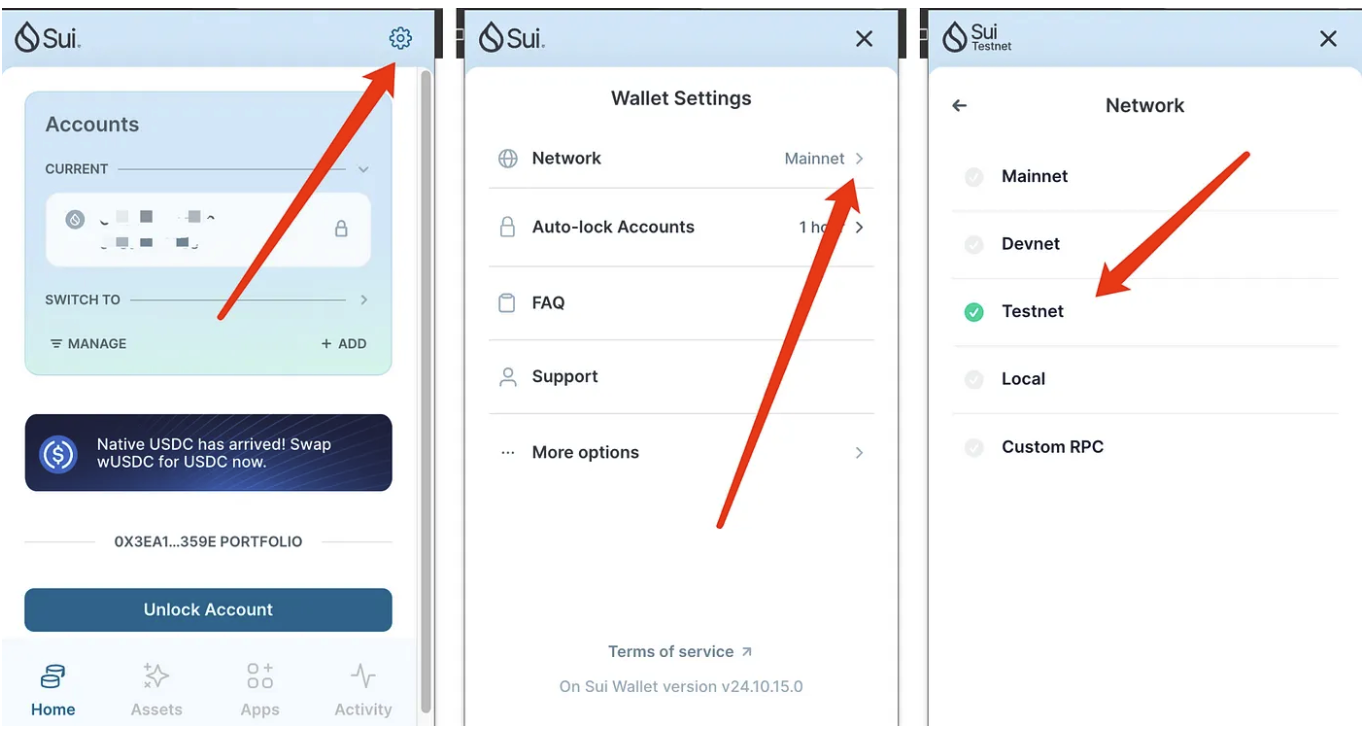
(2) Switch the sui wallet to the test network
- Click "Settings"
- Click Network
- Find Testnet and switch to the testnet
Step 2: Get testnet tokens
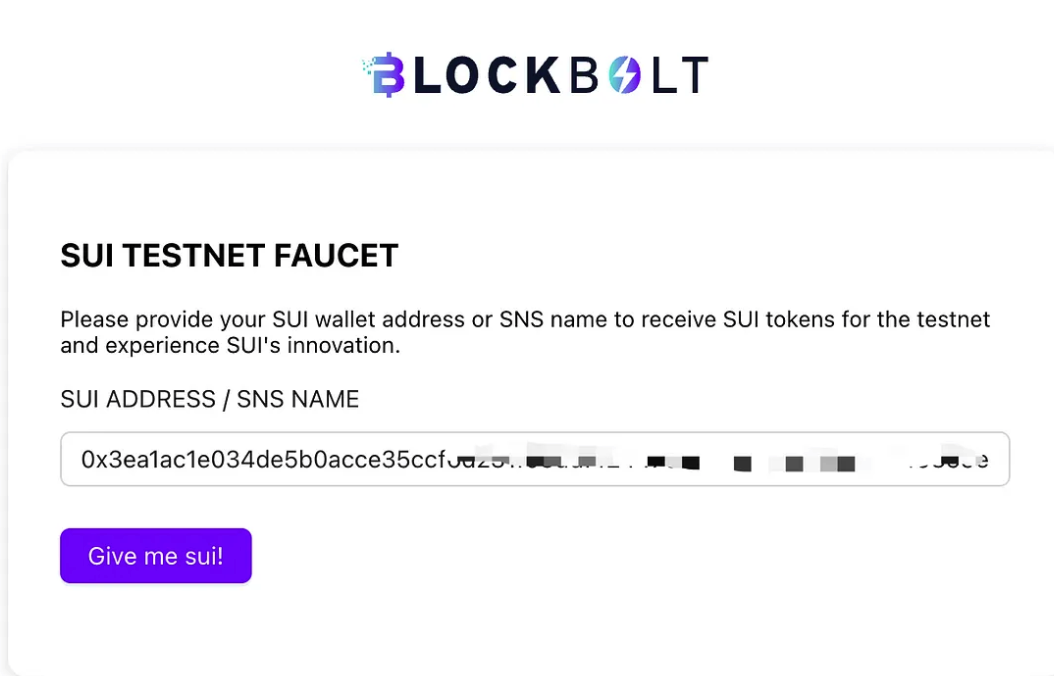
(1) Method 1: Use blockbolt to receive sui test coins
- Faucet link: faucet.blockbolt.io
- Enter the address,
- Click Give me sui to receive the testnet tokens (it is best to use multiple addresses to receive sui tokens, because you will need to stake 1 WAL later)
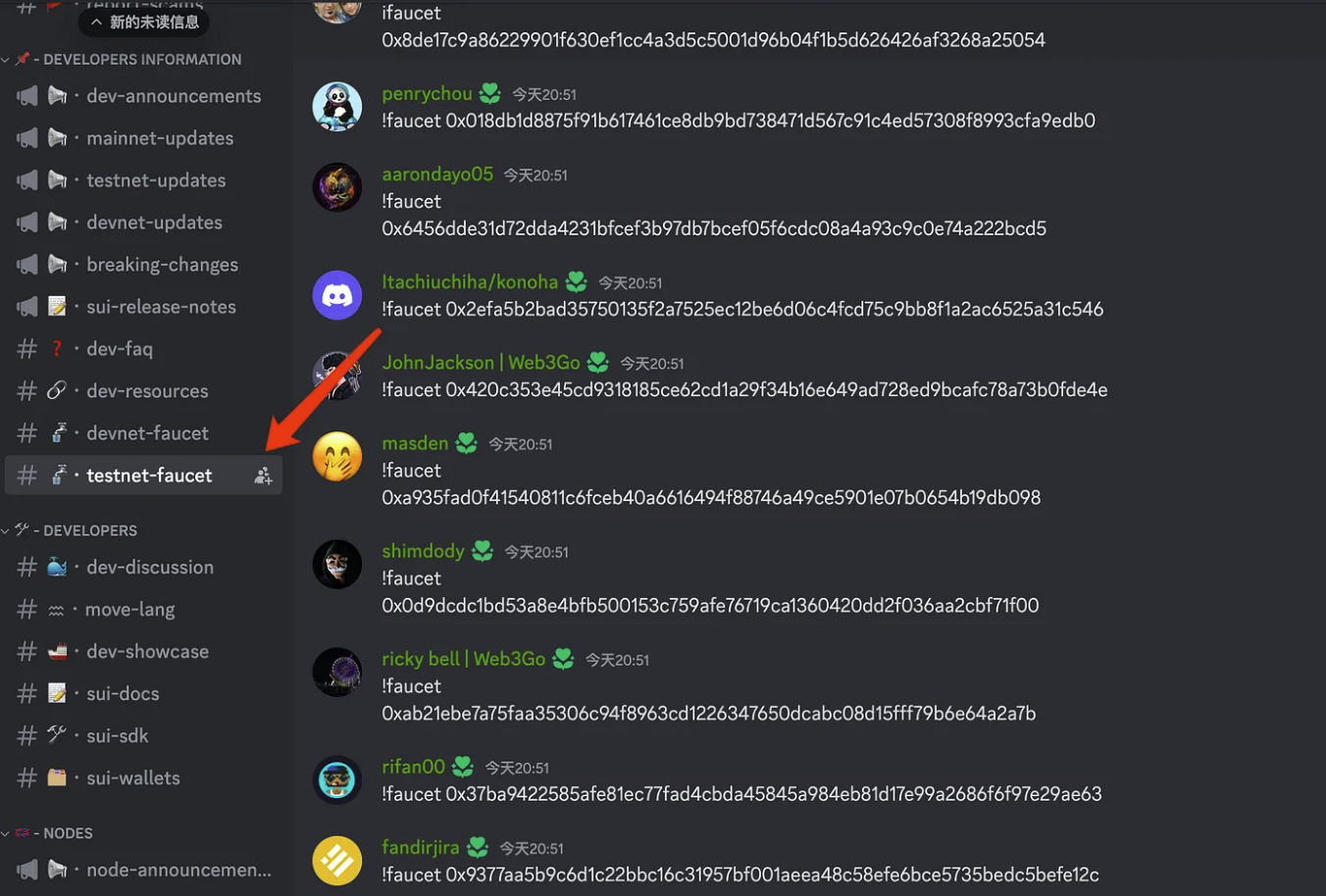
(2) Method 2: Get sui test coins in sui discord
- Related link: discord.gg/sui
- Get it in the testnet-faucet channel
Step 3: Convert Sui to WAL tokens
- Related link: https://stake.walrus.site/
- Link Sui wallet
- Click “Get WAL”
- Convert Sui to WAL (it is recommended to keep some Sui as handling fee)
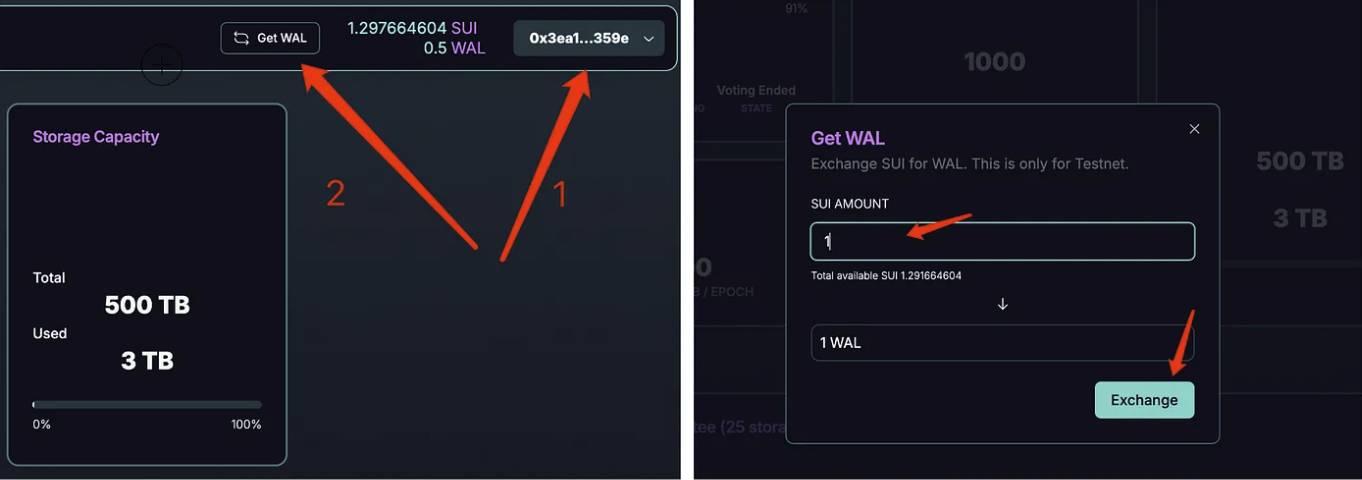
Step 4: Staking
- Scroll down and find Current Committee
- Choose a node at random (Validator)
- Minimum stake: 1 WAL token
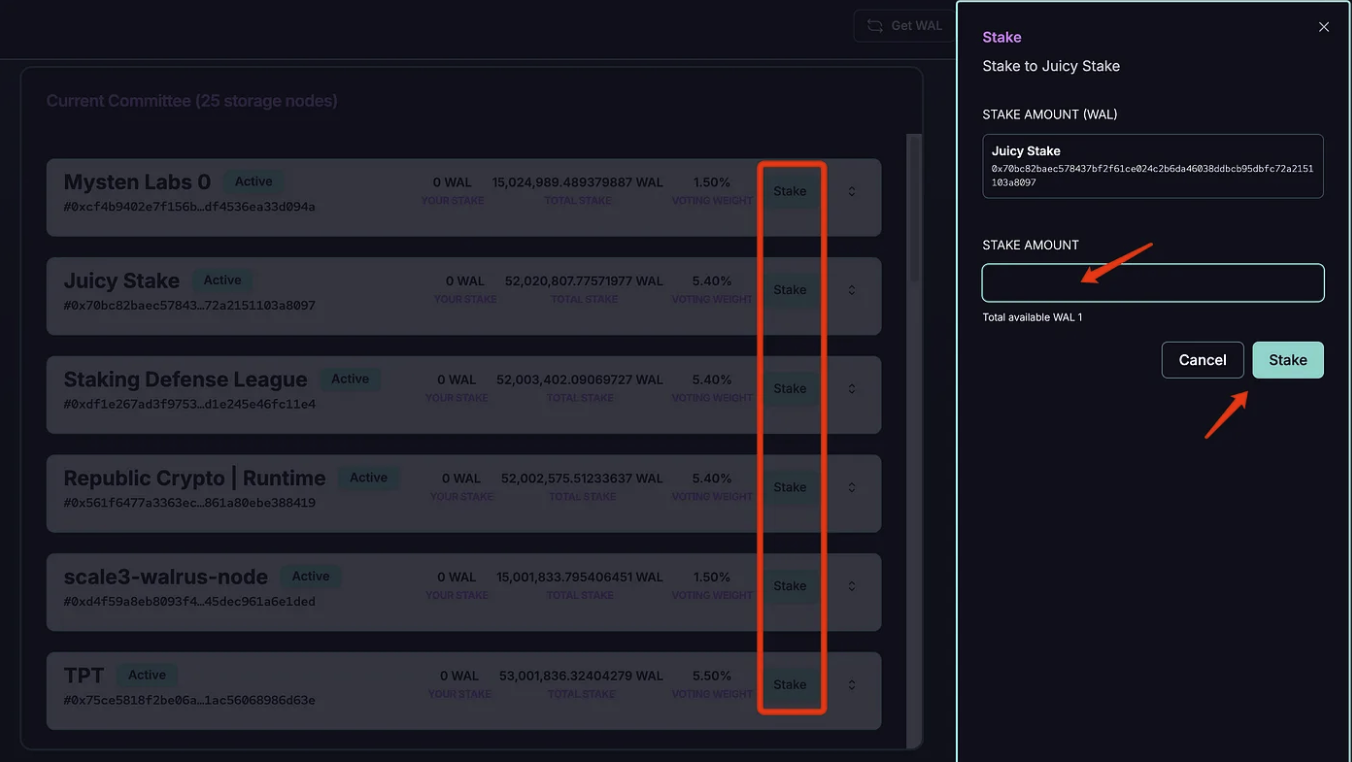
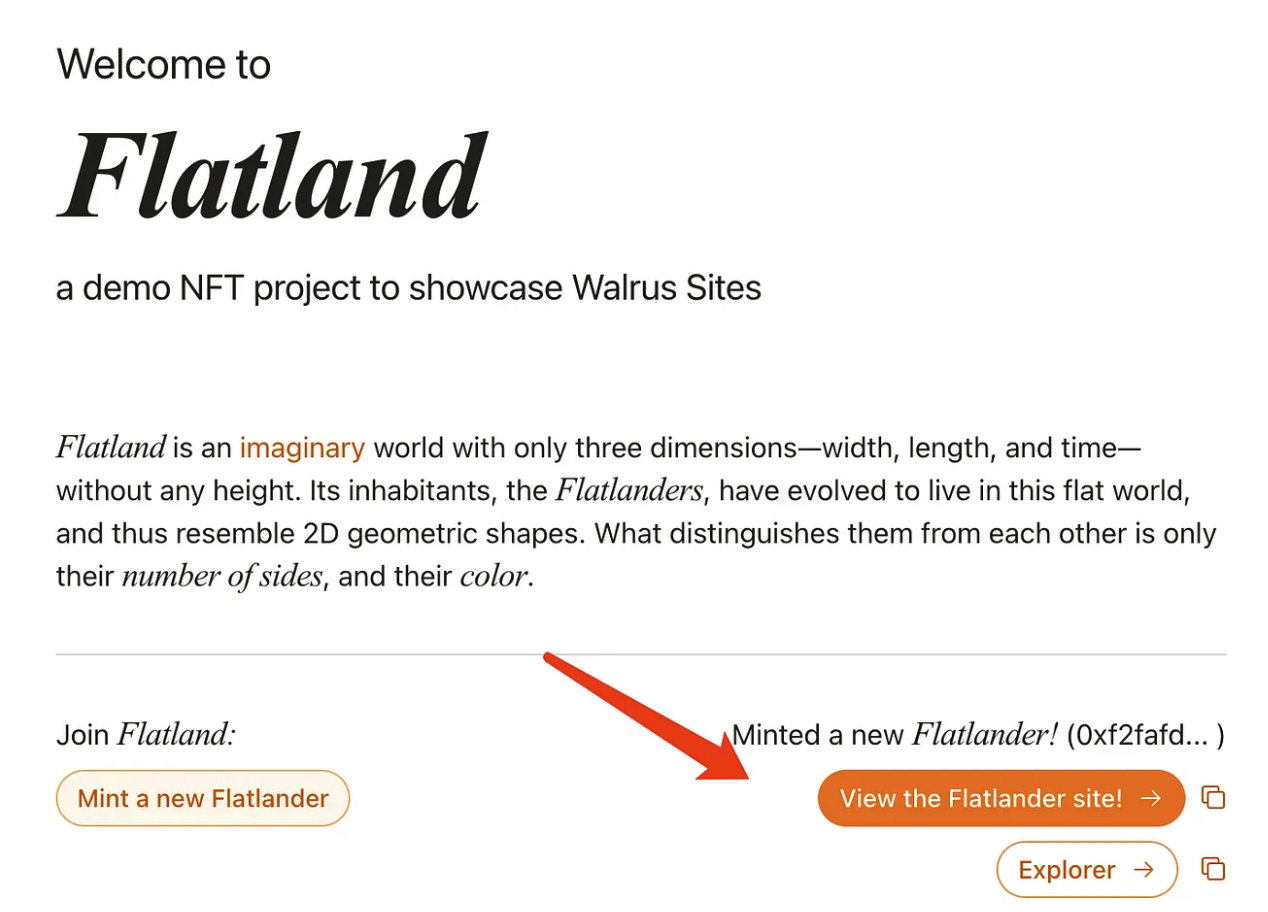
Step 5: Minting NFT on Flatland
- Related link: https://flatland.walrus.site/
- Link Wallet
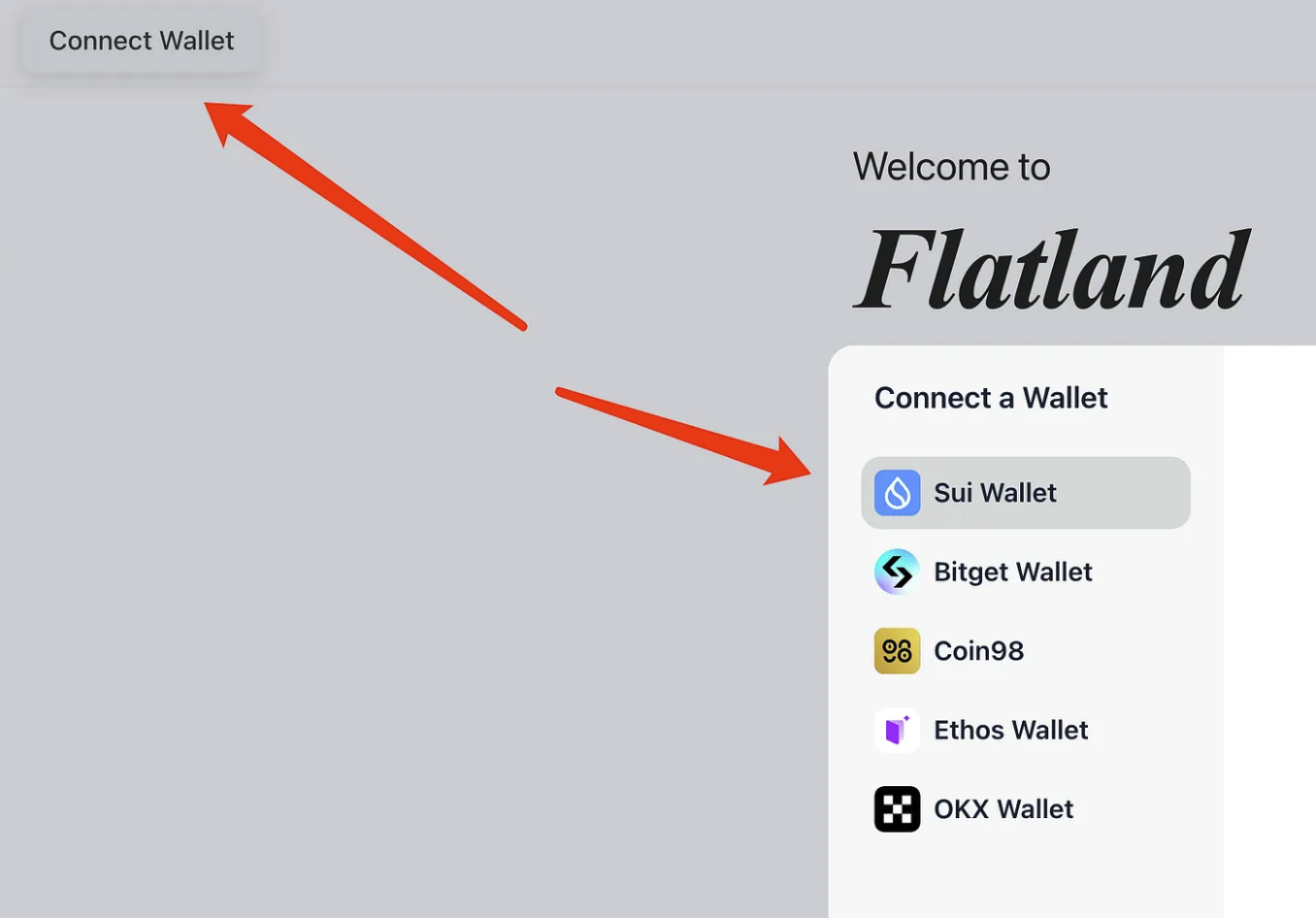
- Click to Mint a new Flatlander
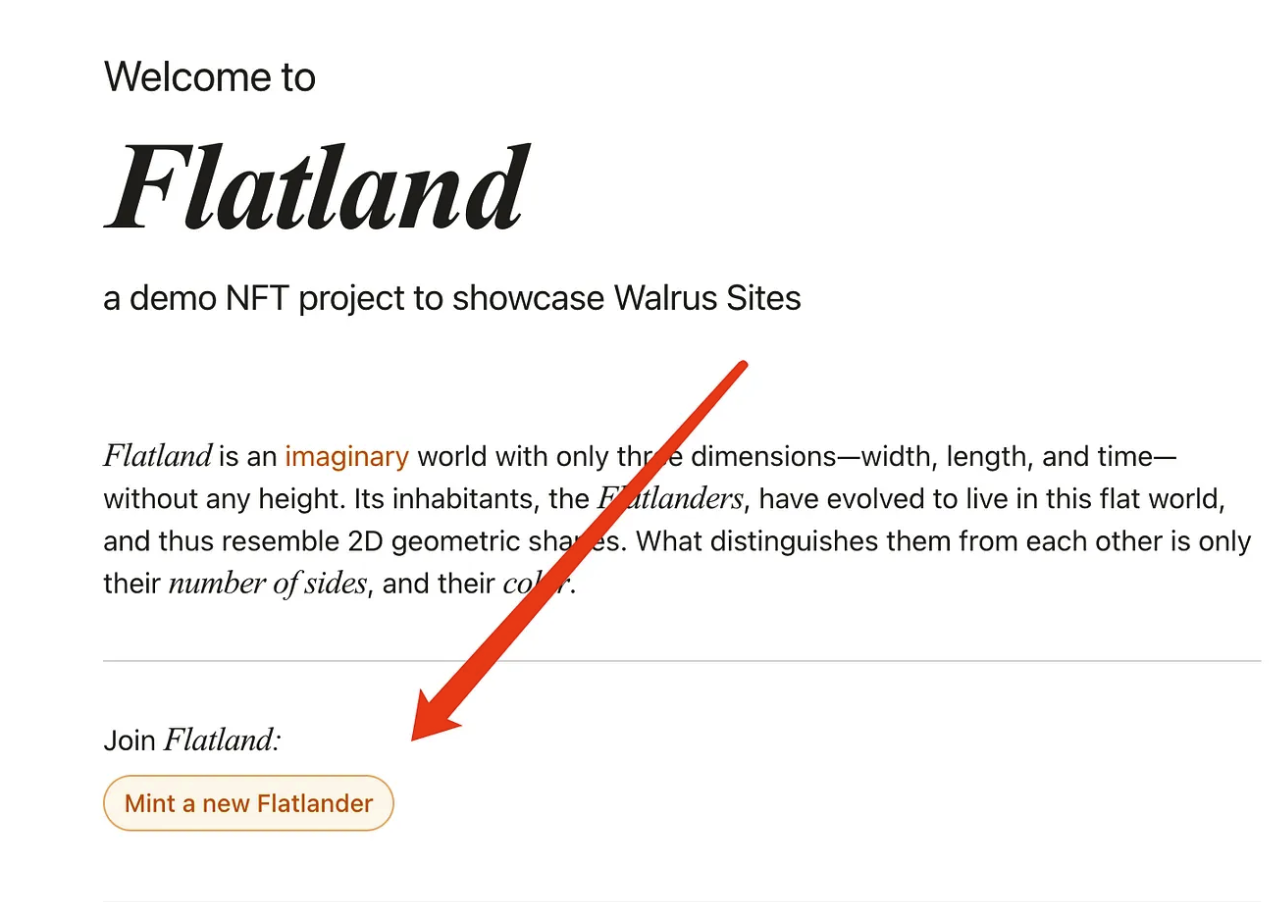
- After the wallet is confirmed, a page like this appears, which means it is successful
Step 6: Upload the Blob to Walrus
- Related link: http://publish.walrus.site
- Upload any image (Blob)
- After uploading the image (blob), copy the Blob ID
- Check Walrus Explorer to see if it has been uploaded correctly: http://walruscan.com/testnet/home
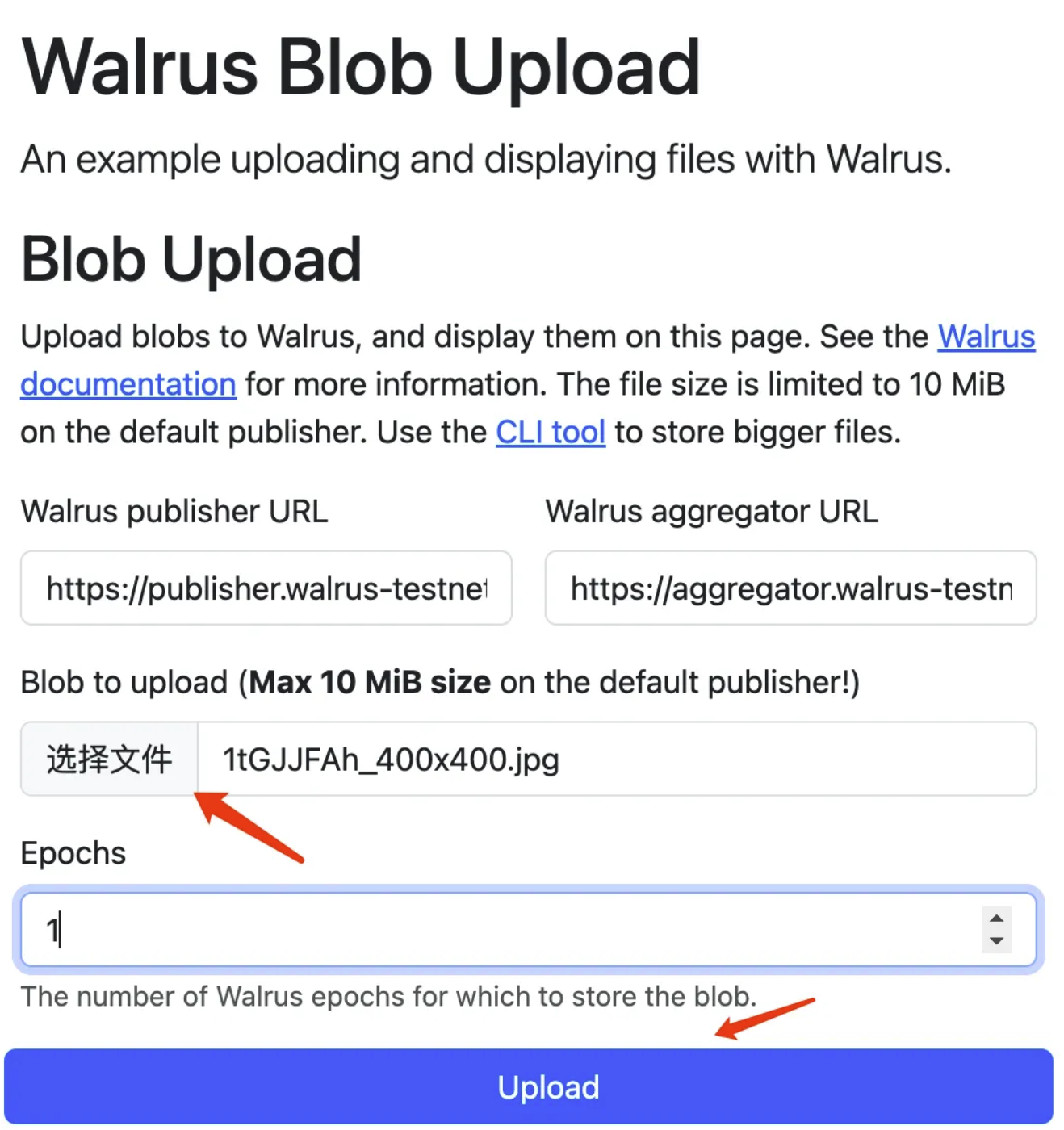
This step often reports an error, which may be due to system instability. Try a few more times.
The above is all the content of today’s airdrop. Although there is not much information about Walrus yet, we should know that Sui Network rarely announces a project on its official Twitter account. This time Sui Network announced Walrus. I think it will have great potential in the future because they did the same thing in 22 years.
Each project can be operated with multiple accounts. The multi-account tool I currently use is the MorLogin fingerprint browser. I have been using it for almost a year and there is no problem with its security.
You can use the cloud phone function. New users can register using the following link to get 50 free environments: